Task Completion Control: How to See That Work Is Moving Without Turning It Into Surveillance
Tasks4 min read
Tracking task completion without constant questions: stages, deadlines, owners and overdue signals. How a manager can see the team's progress at a glance.

Task completion control is a way to see where each task is and whether it's stuck. Well-built control works quietly: the head steps in only where there's a problem, and the rest of the work goes on without them.
In companies without a system, control relies on meetings and personal questions. That takes everyone's time and still doesn't give an accurate picture: each person describes their tasks as they remember them. Problems surface when the deadline has already passed.
Task completion control tools
| Tool | What it gives | Limitation |
|---|---|---|
| Meetings | Communication and sync | Take time, picture from memory |
| A task spreadsheet | A list and deadlines | Updated by hand and goes out of date |
| A kanban board | Shows the stage of each task | Needs discipline to keep updated |
| Overdue and stall signals | The head learns about a problem immediately | Needs a system |
| Tasks linked to clients | Shows what each task relates to | Needs a CRM, not a separate planner |
Control in one minute: what should be visible without asking
- How many tasks each employee has in progress right now.
- Which tasks are overdue and whose they are.
- Which cases haven't moved for longer than usual.
- What stage each important task is at.
- Who is responsible for the next step.
Stages instead of "in progress"
The status "in progress" says almost nothing. A task can be "in progress" for a week, and it's unclear whether it's moving. When a task is broken into stages — for example, "Collecting documents", "Review", "Client approval", "Signing" — progress is visible at once, and each stage has a specific owner with their own deadline.
If a stage was done badly, it can be sent back. That's more honest than silently redoing an employee's work.
A signal instead of a meeting
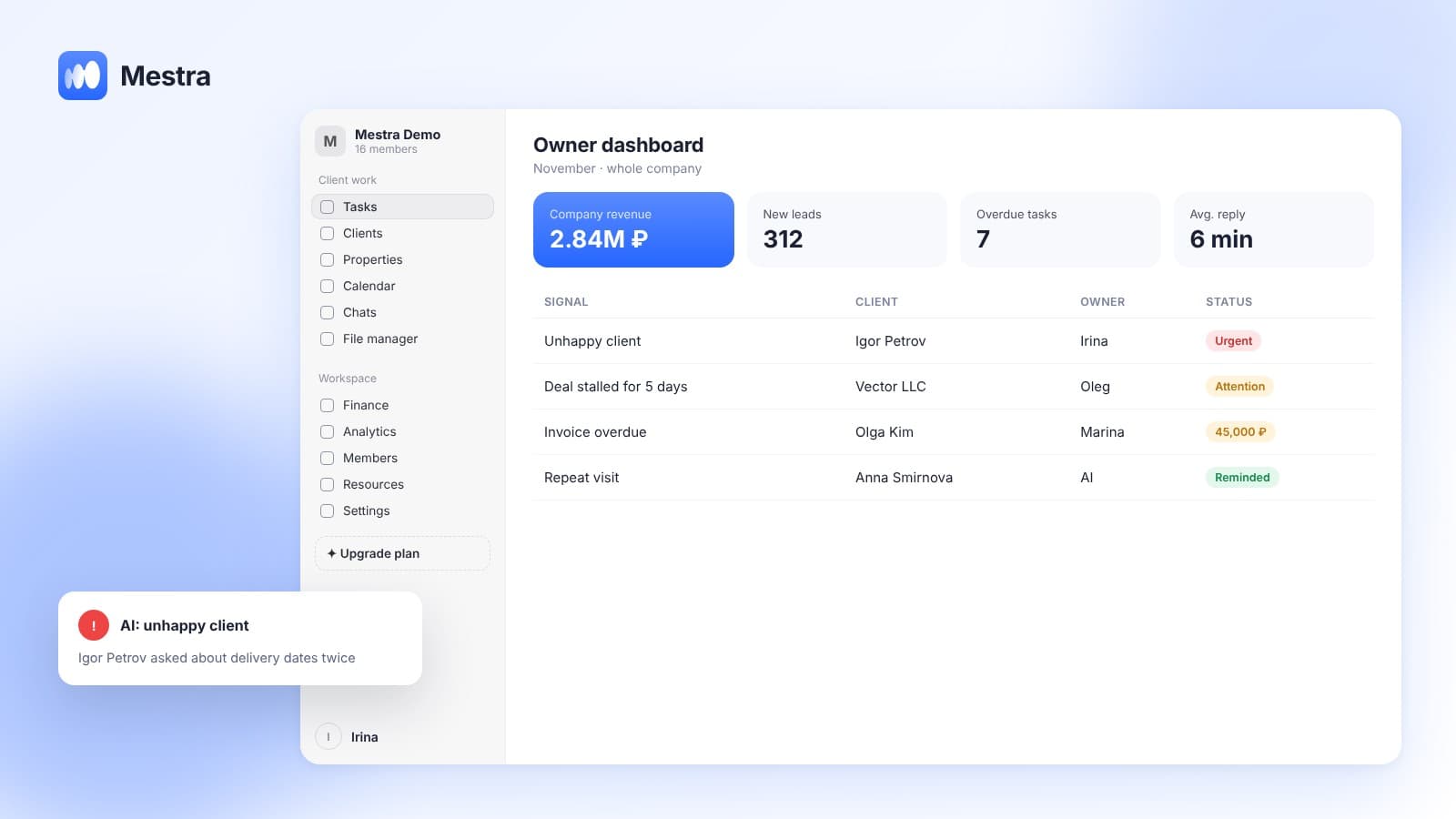
The most useful control tool is an automatic signal. A task is overdue — the head gets a notification. A case hasn't moved for several days — the same. The head spends time only on problem tasks rather than reviewing all of them.
An example in numbers
One-minute calculation:
- A daily meeting for a department of eight takes 30 minutes.
- Eight people × 30 minutes = 4 hours of team time a day.
- Over a month of 22 working days, that's 88 hours.
- If statuses are visible on the board and problems arrive as signals, the meeting can be cut to 10 minutes and devoted to decisions.
- The saving is about 59 hours a month for one department.
How it works in Mestra
In Mestra, a task can be a process: client, service, stages, an overall deadline and stage deadlines, an owner for each stage. Processes are visible on a kanban board, stages can be sent back, and the head gets a signal when something is overdue or stalled. AI creates tasks from agreements in conversations, so they don't get lost before control even begins. You can check a status outside the office too — by writing to the AI in the Telegram bot.
How task control fits into the company's management system — in our article business management system. About working with the board — in kanban and tasks in a CRM.

Related reading: checklists in tasks.
FAQ
How do you track employees' task completion?
Through stages with deadlines and owners on a shared board, plus automatic signals for overdue and stalled tasks.
What task control tools are there?
Meetings, spreadsheets, kanban boards, automatic notifications and a CRM where tasks are linked to clients.
How do you control tasks without it becoming surveillance?
Look at progress and problems rather than every action an employee takes, and discuss decisions with the team rather than statuses.
Can you track tasks from a phone?
Yes. Mestra works in a phone browser, and you can ask the AI for a status in the Telegram bot.
Bottom line
Task completion control works best when it's almost invisible: the board shows progress, signals show problems. Mestra takes this on — try it free for 15 days, no card required.