How to cut company costs without cutting what brings in money
Finance10 min read
How to cut company costs: where to start the analysis, 12 ways to save that work, what not to cut, a worked example and how to see expenses by category.

Cutting company costs means removing spending that brings in no revenue and doesn't support quality, and making the spending you can't do without cheaper. It isn't about "cutting everything by 20%", it's about understanding which ruble works and which doesn't.
In this article: Where to start: the picture of your expenses · Which expenses not to cut · 12 ways to cut costs · Example: the effect of the measures · How to involve the team in cutting costs · Expenses by line of business and by client · Common mistakes · Worked example: why saving 5% of costs matters more than growing revenue · 30-day plan
Cutting costs in a minute
| Step | What we do | Result |
|---|---|---|
| 1 | Gather expenses for 3–6 months by category | We see the structure |
| 2 | Find the biggest items | We understand where the savings are |
| 3 | Split into "brings in revenue" and "keeps things running" | We don't cut what earns money |
| 4 | Look for duplicates, excess and manual work | A list of specific measures |
| 5 | Calculate the effect of each measure | Priorities |
| 6 | Implement and check after a month | Real savings |
Where to start: the picture of your expenses
You can't reduce what you can't see. The first step is to gather all expenses for the last 3–6 months into categories:
| Category | Share in a typical service company |
|---|---|
| Salaries and payroll taxes | 40–60% |
| Rent and utilities | 8–15% |
| Advertising and promotion | 5–15% |
| Purchasing and materials | Depends heavily on the industry |
| Software and subscriptions | 2–5% |
| Telecoms, transport, other | 3–8% |
If you can't fill in a table like this in half an hour, that is the first problem. Expenses you can't see grow unnoticed. That's what the profit and loss statement is for, with expenses broken down by category.
Which expenses not to cut
Before cutting, split expenses into two groups:
| Group | Examples | Approach |
|---|---|---|
| Bring in revenue | Advertising with clear payback, sales reps, quality of service | Optimize, but don't cut blindly |
| Keep things running | Rent, software, telecoms, administrative costs | Look for cheaper options and remove excess |
The classic mistake is to switch off advertising and let a sales rep go first thing in a crisis. Two months later revenue falls by more than you managed to save.
12 ways to cut costs
1. Audit your subscriptions
Pull all recurring charges from cards and accounts. Almost always you find services nobody uses, or licenses for employees who have left.
2. Remove duplicate services
A separate CRM, a separate messenger service, separate tasks, a separate team chat, separate file storage. Each service costs money, and the time spent switching and moving data between them costs even more. For a detailed calculation, see the article "How much does a CRM cost".
3. Check the payback of advertising
For each channel, calculate how much was spent, how many clients came and how much they paid. Channels that haven't paid back for three months in a row are candidates for switching off or reconfiguring.
4. Reduce manual work
Count how many hours a week employees spend moving data, filling in cards, compiling reports and issuing invoices by hand. A rep's hour costs money — and that time isn't spent selling.
| Manual operation | Hours per week per rep | Per month for 5 reps |
|---|---|---|
| Filling in client cards | 3 | 60 |
| Turning agreements into tasks | 2 | 40 |
| Preparing invoices | 1.5 | 30 |
| Compiling reports for the manager | 1 | 20 |
| Total | 7.5 | 150 |
150 hours a month is almost a full-time position for another employee.
5. Revisit your rent
Do you need the whole office if part of the team works remotely? Could you move to a smaller space or a flexible format?
6. Negotiate with suppliers
Ask for a volume discount or a payment deferral, or compare with alternatives. Review key suppliers once a year.
7. Reduce client churn
Winning a new client usually costs several times more than keeping an existing one. Every client who leaves is advertising money you have to spend again. More in the article on client retention.
8. Don't lose inbound leads
A lead answered after three hours is often already lost. That is a direct loss of advertising budget: the money is spent and the client has gone to a competitor.
9. Optimize purchasing
Buy based on actual need, not "just in case". Warehouse stock tracking shows what is sitting idle.
10. Revisit incentives
A bonus system that pays for volume rather than margin can encourage sales with big discounts. Check what exactly you are paying for.
11. Drop unprofitable services and clients
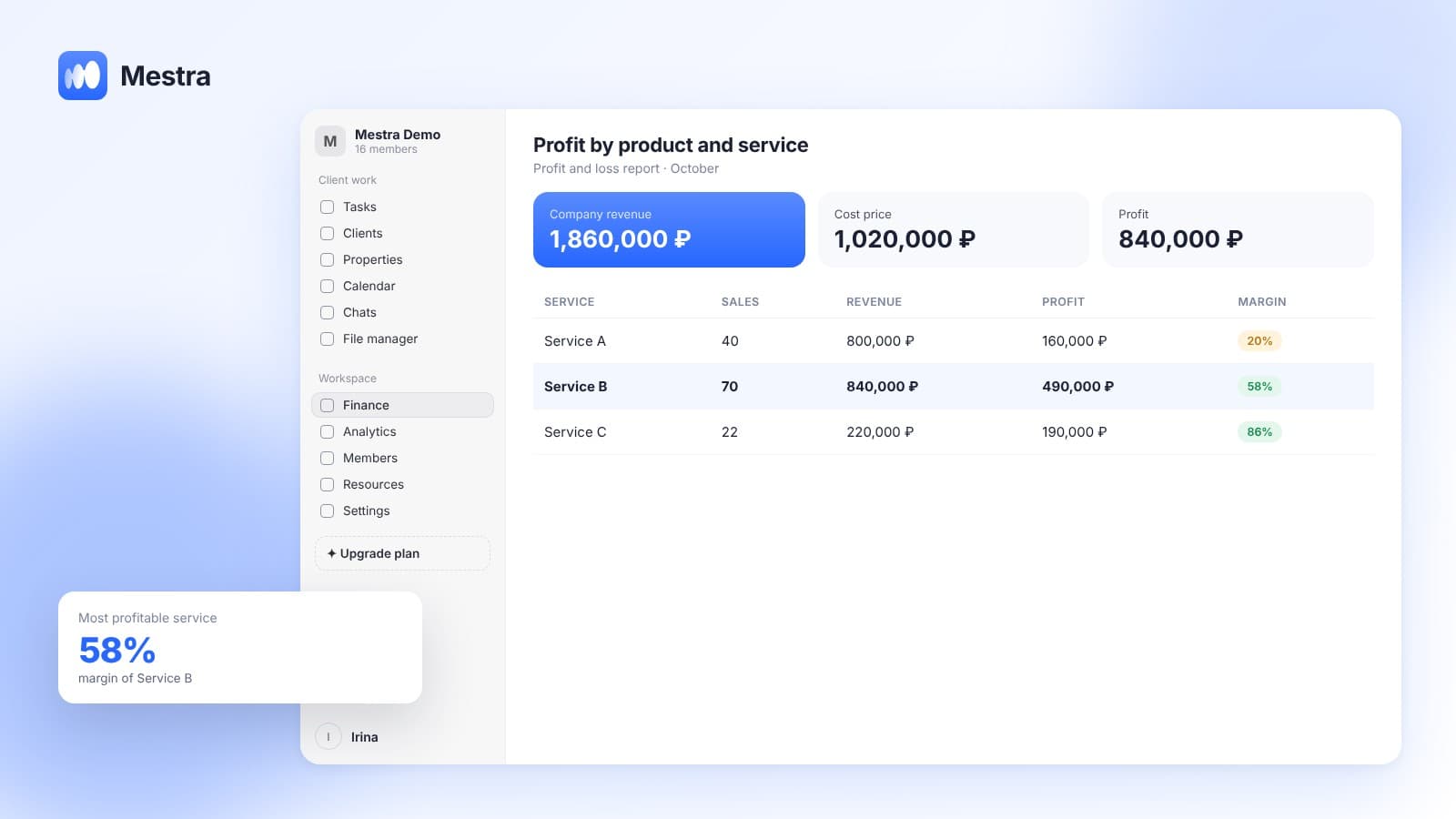
Sometimes individual services or clients cost the company more than they bring in. Calculate margin by line of business.
12. Make cost cutting regular
Once a quarter, a short review of expenses by category and a check on what has changed.
Example: the effect of the measures
| Measure | Monthly savings |
|---|---|
| 4 unused subscriptions switched off | 12,000 ₽ |
| Three services replaced with one | 18,000 ₽ |
| An unprofitable advertising channel switched off | 45,000 ₽ |
| Cards and invoices automated | ~100 hours of reps' work |
| Supplier contract renegotiated | 25,000 ₽ |
| Total | 100,000 ₽ + 100 hours |
The figures are illustrative, but the pattern is typical: a noticeable part of the savings is in small items nobody checked.
How to involve the team in cutting costs
Expenses known only to the owner are the hardest to cut. Employees spot the excess sooner: an unused service, duplicated work, a supplier who is late every time.
- Show the numbers. A short review: what the company spends money on and what share goes to each item.
- Ask for suggestions. Each department brings 2–3 ideas for saving without losing quality.
- Calculate the effect. Implement ideas with clear savings first.
- Share the result. After a month, show how much was saved and what the money will go toward.
It is important that cost cutting isn't seen as preparation for layoffs. Otherwise employees will hide things instead of suggesting them.
Expenses by line of business and by client
A company's average profitability can hide unprofitable lines of business. Calculate margin separately:
| Line of business | Revenue | Direct costs | Margin | Conclusion |
|---|---|---|---|---|
| Service A | 1,200,000 | 700,000 | 42% | Develop |
| Service B | 600,000 | 480,000 | 20% | Review the price |
| Service C | 300,000 | 310,000 | −3% | Raise the price or close it |
If a line is unprofitable, it has three paths: raise the price, reduce the cost or drop it. On how to raise prices without losing clients, see the article on how to raise prices.
Common mistakes
- Cutting everything by the same percentage. Both profitable and useless items suffer.
- Saving on sales. Revenue falls by more than the savings.
- Not counting employees' time. Manual work is the most hidden and one of the biggest expenses.
- A one-off campaign. Six months later expenses are back at the old level.
- No data. Decisions are made "by feel".

Worked example: why saving 5% of costs matters more than growing revenue
A hypothetical example. Revenue is 5,000,000 ₽ a month, expenses are 4,400,000 ₽, profit is 600,000 ₽ (12% margin).
| Scenario | What changes | Profit |
|---|---|---|
| Baseline | — | 600,000 ₽ |
| Cut expenses by 5% | −220,000 ₽ of expenses | 820,000 ₽ (+37%) |
| Grow revenue | to get the same +220,000 ₽ at a 12% margin you need ≈ 1,830,000 ₽ more revenue (+37%) | 820,000 ₽ |
Every ruble saved goes entirely to profit, while every ruble of revenue earned brings in only the margin part. So at a low margin, cutting excess is often faster and more reliable than growth.
An important caveat: savings should affect expenses that create no value. If you cut marketing, training or customer service, profit may fall within a few months.
30-day plan
| Week | What to do |
|---|---|
| 1 | Gather expenses for 6–12 months and break them down by category |
| 2 | Find the 3–5 items with the biggest weight and the fastest growth |
| 3 | For each, find a specific measure: renegotiate the contract, change supplier, drop duplicates |
| 4 | Implement two or three measures, record the effect in numbers and set a review date |
How it works in Mestra
Mestra helps you both see expenses and cut some of them:
- Profit and loss statement. Expenses and income by category are built automatically from transactions and invoices; you can see which items are growing.
- Accounting by company accounts. Receipts and expenses are tied to bank accounts and the cash register, in multiple currencies.
- One system instead of several. Messengers, clients, tasks, invoices, calendar, files and team chat — in one workspace.
- Less manual work. AI fills in the client card from the conversation, creates tasks from agreements and puts together an invoice from the name of a product or service.
- Fast response to leads. All channels in one window, the chat is assigned to an owner, AI prepares a draft reply.
- Analytics by source. You can see which channels bring in the clients who actually pay.
Frequently asked questions
Where should a company start cutting costs?
With a table of expenses for 3–6 months by category. It shows the biggest items and what is growing faster than revenue.
Which expenses can be cut fastest?
Unused subscriptions, duplicate services, advertising that doesn't pay back and manual work that can be automated.
Can I cut the advertising budget?
You can, but only for channels that don't pay back. Channels with clear payback are better optimized than switched off.
How do I calculate the cost of manual work?
Multiply the hours employees spend on routine operations by the cost of an hour of their work, including taxes.
How often should I review expenses?
Once a quarter for a scheduled review, once a year for a review of key suppliers and subscriptions.
Summary
Cost cutting starts with a picture by category, not with layoffs. The fastest savings are subscriptions, duplicate services, advertising that doesn't pay back and manual work. Expenses that bring in revenue should be optimized carefully and based on numbers.
In Mestra, the profit and loss statement builds itself, and conversations, clients, tasks and invoices are in one system, so there is no need to pay for several services and move data by hand. Try Mestra free for 15 days at mestra.chat.