Markup vs Margin: The Difference, How to Calculate Them and Why Confusing Them Costs Money
Finance5 min read
Margin and markup in simple terms: the difference, the formulas, product profitability, a conversion table and the discount mistake that makes you sell at a loss.

Almost everyone who starts counting money in a business confuses markup and margin.
The difference looks technical, but it decides whether a discount brings in revenue or a loss.
One-minute calculation
- Markup = (price − cost) / cost.
- Margin = (price − cost) / price.
- The maximum discount without a loss ≈ the margin, not the markup.
- Calculate from full cost.
The formulas
- Markup = (price − cost) / cost × 100%
- Margin = (price − cost) / price × 100%
Example: cost is 600 ₽, price is 1,000 ₽. Markup is 66.7%, margin is 40%.
Profitability in simple terms
Profitability here means the same as margin in percent: the share of the price the company keeps after the cost of the product. How to calculate it: (price − cost) / price × 100%. If a product's margin is 40%, every 100 ₽ of revenue leaves 40 ₽ to cover other expenses and profit.
Markup-to-margin conversion table
| Markup | Margin |
|---|---|
| 25% | 20% |
| 50% | 33% |
| 100% | 50% |
| 150% | 60% |
| 200% | 67% |
The mistake that costs money
A manager sees a 40% markup and decides they can give a 30% discount: "there'll still be 10% left". But the discount is calculated on the price, not on the cost.
| Amount | |
|---|---|
| Cost | 1,000 ₽ |
| Price with 40% markup | 1,400 ₽ |
| 30% discount on the price | −420 ₽ |
| Price after discount | 980 ₽ |
| Result | −20 ₽ on every sale |
Why to calculate from full cost
If only the purchase price is included, both markup and margin are overstated. Delivery, advertising and the manager's percentage often "eat" 15–30% of the price. More in our article full cost.

Markup and margin in different businesses
| Business | Cost | Price | Markup | Margin |
|---|---|---|---|---|
| Retail shop | 700 ₽ | 1,000 ₽ | 43% | 30% |
| Café: a drink | 60 ₽ | 250 ₽ | 317% | 76% |
| Clinic: an appointment | 1,800 ₽ | 3,000 ₽ | 67% | 40% |
| Wholesale | 9,000 ₽ | 10,000 ₽ | 11% | 10% |
A large markup on costs doesn't yet mean high profit for the company: a café has a big markup on drinks, but high rent and staff costs.
How to calculate the maximum discount
Maximum discount without a loss = margin in percent
If the margin is 30%, a 30% discount wipes out the profit. A safe discount is one that leaves your target margin. Example: margin 30%, target 20% — a discount of no more than 12.5% of the price.
Rules for managers
- Get approval for any discount greater than half the margin.
- Show managers the share of profit in the price — fewer mistakes.
- Offer a bonus instead of a discount: delivery, an extra service, instalments.
For most goods, Russian law doesn't limit markups. The exceptions are certain socially important and regulated goods, such as medicines on the list of vital and essential drugs, for which the regions set maximum markups.
How it works in Mestra
- Cost in the product card: purchase price or materials, the executor's share, delivery and packaging are set once and flow into every invoice automatically.
- Costs of a specific sale — such as property advertising or a site visit — are added to the invoice line, and you see the profit after all costs.
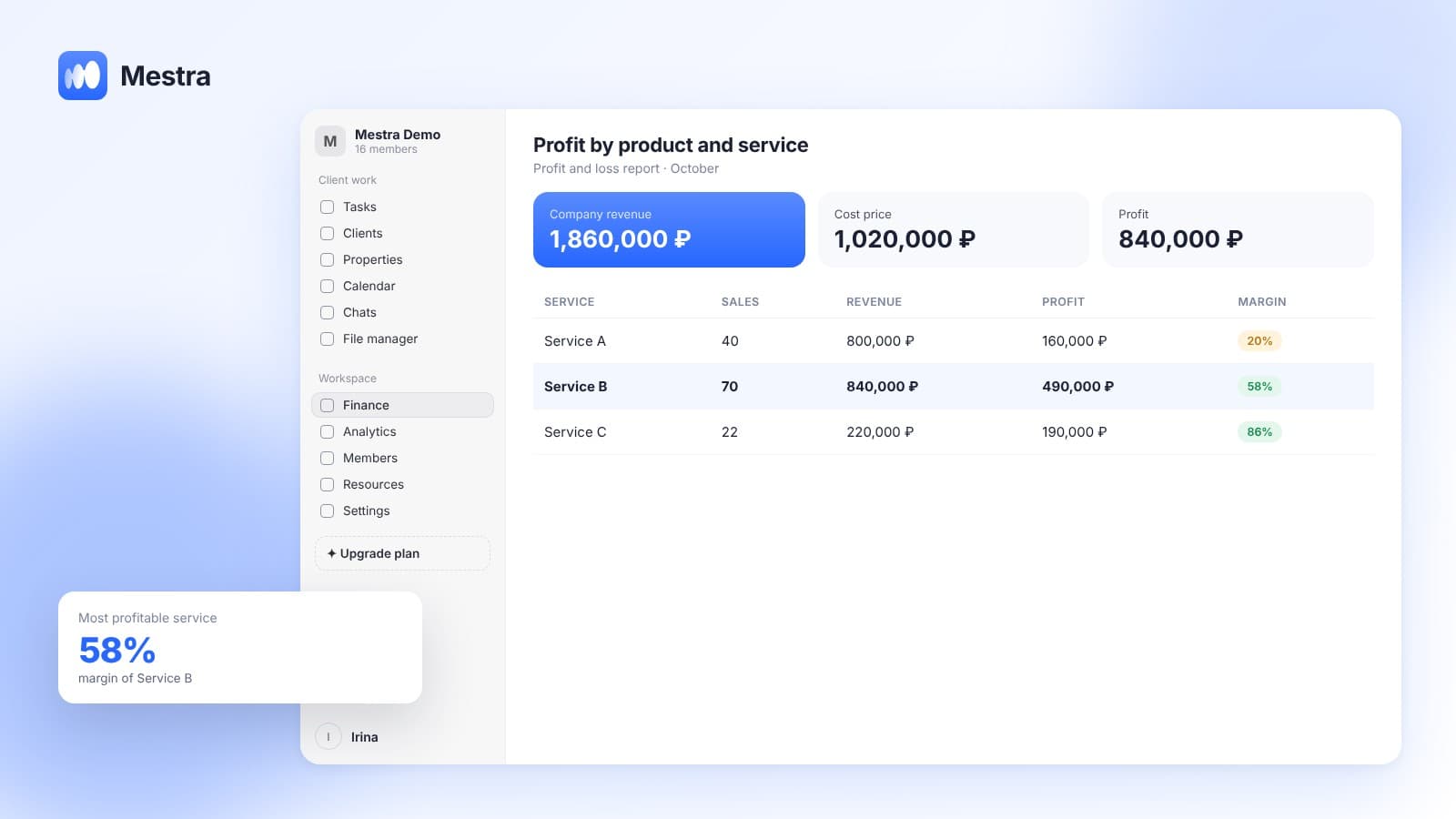
- Profit and loss report and detailed financial reports.
- Permissions — financial data is visible only to those you allow.
FAQ
What margin is considered good?
It depends on the industry: in retail 20–40% is considered normal, in services 40–60% and above. It's more important to compare margins across your own products and from month to month.
Can margin be more than 100%?
No. Margin is the share of profit in the price, so it's always below 100%. Markup can be any number.
How do you give discounts without a loss?
Calculate the maximum discount from the margin, not the markup, and use full cost.
Bottom line
Markup shows how much you added to costs. Margin shows how much is left from every ruble of revenue. Confusing them puts every discount at risk.
Calculate both from full cost. In Mestra, cost is set in the product card, and the profit on every invoice is visible without manual formulas.