How to connect a personal VK account to a CRM, not just a community
Messengers5 min read
Why connecting a VK community isn't enough, where clients from personal messages get lost, and how Mestra brings chats from a VK account into the CRM.

To stop losing VK clients, connect not only the community but also the account where the real conversations happen. Mestra does this out of the box: the VK account becomes one more channel in the unified inbox, and every chat is linked to the client card, tasks and invoices.
The one-minute math
- A manager runs 30 chats a week in a personal VK account.
- If just 10% of them go quiet without a reply, that's 3 clients a week, or about 12 a month.
- With an average order of 15,000 ₽, the company misses roughly 180,000 ₽ a month from one employee alone.
- Connecting the account takes a few minutes. After that, every chat is visible to the owner.
Community vs personal account
A community is the brand's storefront. People who found you through search, ads or a post write there. CRMs have received those messages for years: the help pages of large CRMs state plainly that you connect a group, event or public page.
A personal account is where the real work happens. A realtor agrees on a viewing, a clinic admin moves an appointment, a travel manager sends a tour selection. The client remembers a specific person and writes to them directly. Those chats usually never reach the CRM.
| VK community in a typical CRM | VK account in Mestra | |
|---|---|---|
| Who writes | New visitors to the group | Clients who already talk to the employee |
| Owner can see it | Yes | Yes |
| Link to client card | Depends on setup | Client, deals, tasks and files next to the chat |
| If the manager leaves | The community stays | The account and history also stay with the company |
| AI assistant in the chat | Usually a separate add-on | Built in: Auto, Suggestions, Off |
Where personal-message clients get lost
No full picture. The owner sees community requests but not what the employee agreed in DMs. The sales report drifts from reality.
No history. A client comes back six months later, and their old manager has left. The new one starts from zero.
No deadline control. A message arrives Friday night; by Monday it's buried under new ones. The client goes to a competitor.
No link to money. A discount was agreed in chat but isn't on the invoice. The mistake surfaces only at payment.
How it works in Mestra

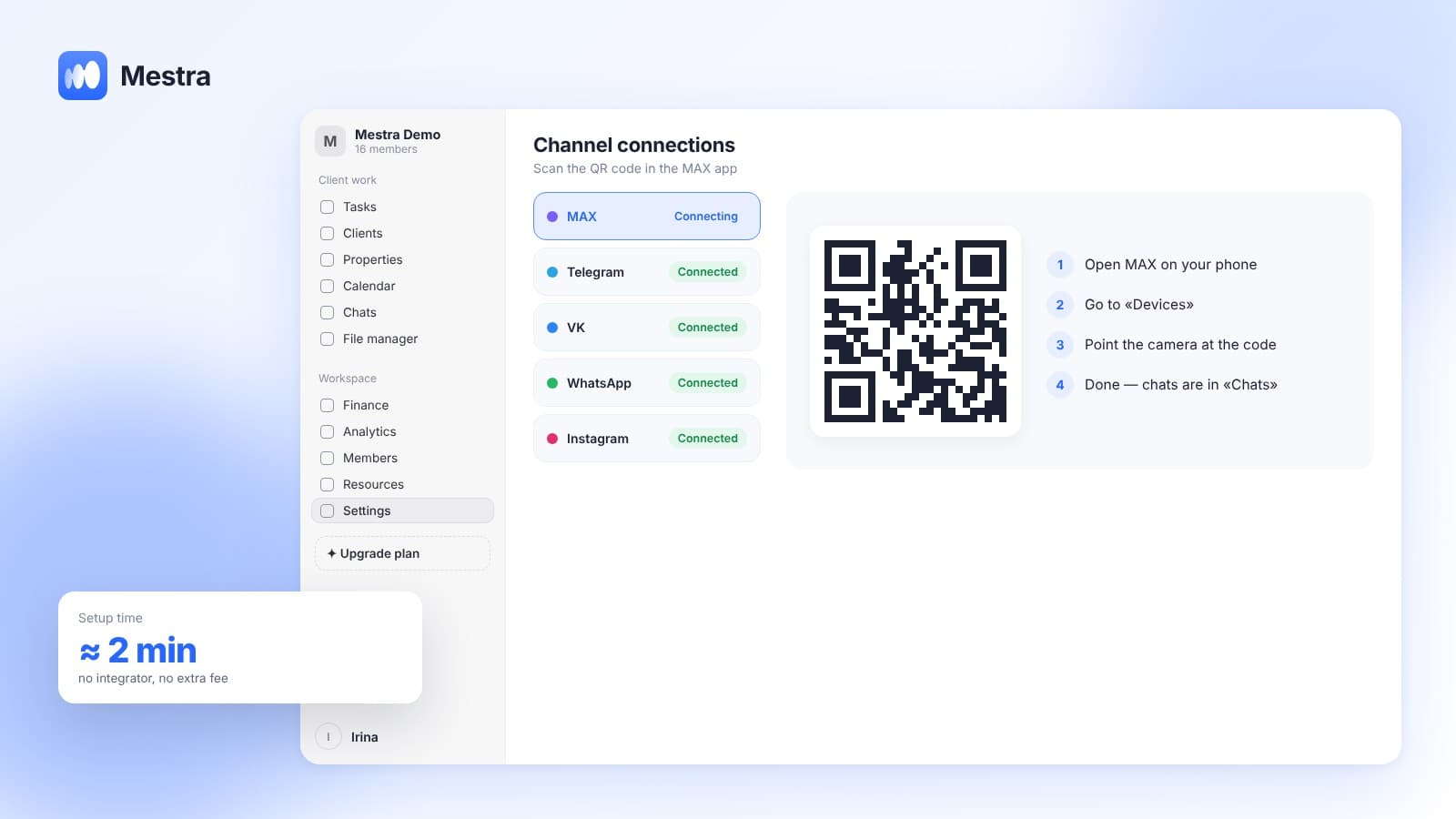
The VK account is connected in channel settings and appears in «Chats» next to the other messengers. From there, the same logic applies as for any channel.
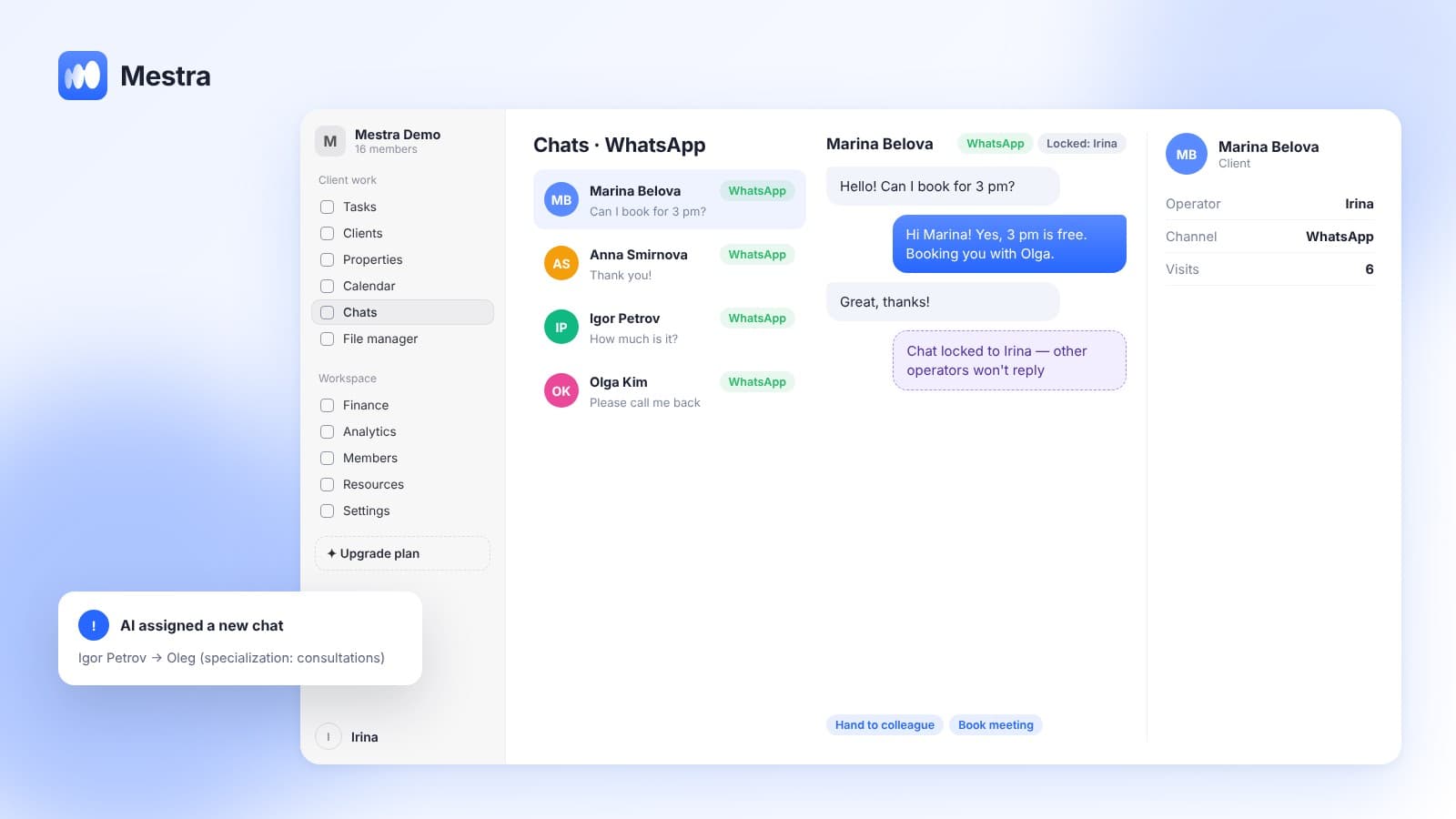
- One inbox. All chats — VK, MAX, Telegram, WhatsApp*, Instagram* — in one list with filters and search.
- Client card next to the chat. Phone, deals, tasks and files on the right. A new contact is saved in one click, and AI can fill the card from the conversation.
- Operator assignment. A chat is locked to one employee, so there are no double replies. The owner or AI can distribute chats by specialization, workload and schedule.
- Tasks and meetings from the chat. The chat menu creates a task, links a deal or books a calendar meeting.
- AI assistant. From the Standard plan, AI answers from your knowledge base, suggests the next step and tells the manager what to offer.
- The account belongs to the company. If an employee leaves, chats and history remain. Handing them over takes a couple of clicks.
Each operator sees only their own clients; the owner sees everyone. Permissions are set manually in «Members».
More on chat distribution in «Distributing leads between managers», and on MAX in «MAX for business».
What to consider when connecting
- Data-processing consent. Client chats are personal data. Russia's Federal Law No. 152-FZ «On Personal Data» requires the company to define processing purposes and protect such data. Reflect this in your privacy policy.
- A work account. Give the employee a company account rather than connecting their private page with family chats.
- Reply rules. Agree on first-response time and run AI in Suggestions mode for the first week.
VK for business: what exactly to connect
VK for business isn't just a group with posts and ads. For sales, conversations matter more, and they happen in two places: community messages and employees' personal chats.
A typical «CRM + VK» setup covers only the first. Personal chats stay on the manager's phone, and the owner never sees them.
The right setup is simple: the community handles acquisition, the work account handles client conversations, and the CRM merges both into one history.
FAQ
Can I connect a personal VK page to a CRM?
Yes. Mestra connects the VK account itself, not just a community. Its chats arrive in the shared «Chats» section.
Will the owner see a manager's VK chats?
Yes. The owner sees all company chats; an operator sees only the ones assigned to them.
What happens to the chats if the employee quits?
The account is connected to the company, so chats and history stay in Mestra and can be handed to another employee.
How much does connecting VK cost?
Messengers, including VK, are available on every plan from Economy — 390 ₽ per user per month. There is no separate channel fee.
Does the AI assistant work in VK chats?
Yes, on the Standard and Pro plans. Each chat can be set to Auto, Suggestions or Off.
Summary
If you connect only the community, the most valuable part of communication — employees' personal chats — stays invisible. Mestra (Местра) connects the VK account itself and brings its chats into one window with your other channels, client cards and tasks. Try it free for 15 days — no card needed.
* Meta Platforms Inc. (owner of WhatsApp and Instagram) is recognized as an extremist organization; its activities are banned in Russia.