What a CRM System Looks Like: Main Sections and a Manager's Working Day
Guides5 min read
What a CRM system looks like: chats, the client card, tasks and kanban, calendar, invoices, finance and analytics. A CRM example and a manager's working day.

A CRM system looks like a web app with a side menu: clients, chats, tasks, calendar, products, finance and analytics. A manager opens it in the morning and sees whom to reply to, whom to call back and which deals are waiting for the next step.
The word "CRM" sounds abstract until you see the system from the inside. Below: which screens a CRM consists of and what a manager's day looks like, with an example.
Overview in one minute
- Chats — all client messages from messengers and marketplaces in one feed.
- Clients — a base of cards: contacts, history, deals.
- Tasks — what to do, for whom and by when, as a list or a board.
- Calendar — meetings, visits, bookings of places.
- Finance and analytics — invoices, payments, profit, team metrics.
The main sections of a CRM
| Section | What's on the screen | Who uses it |
|---|---|---|
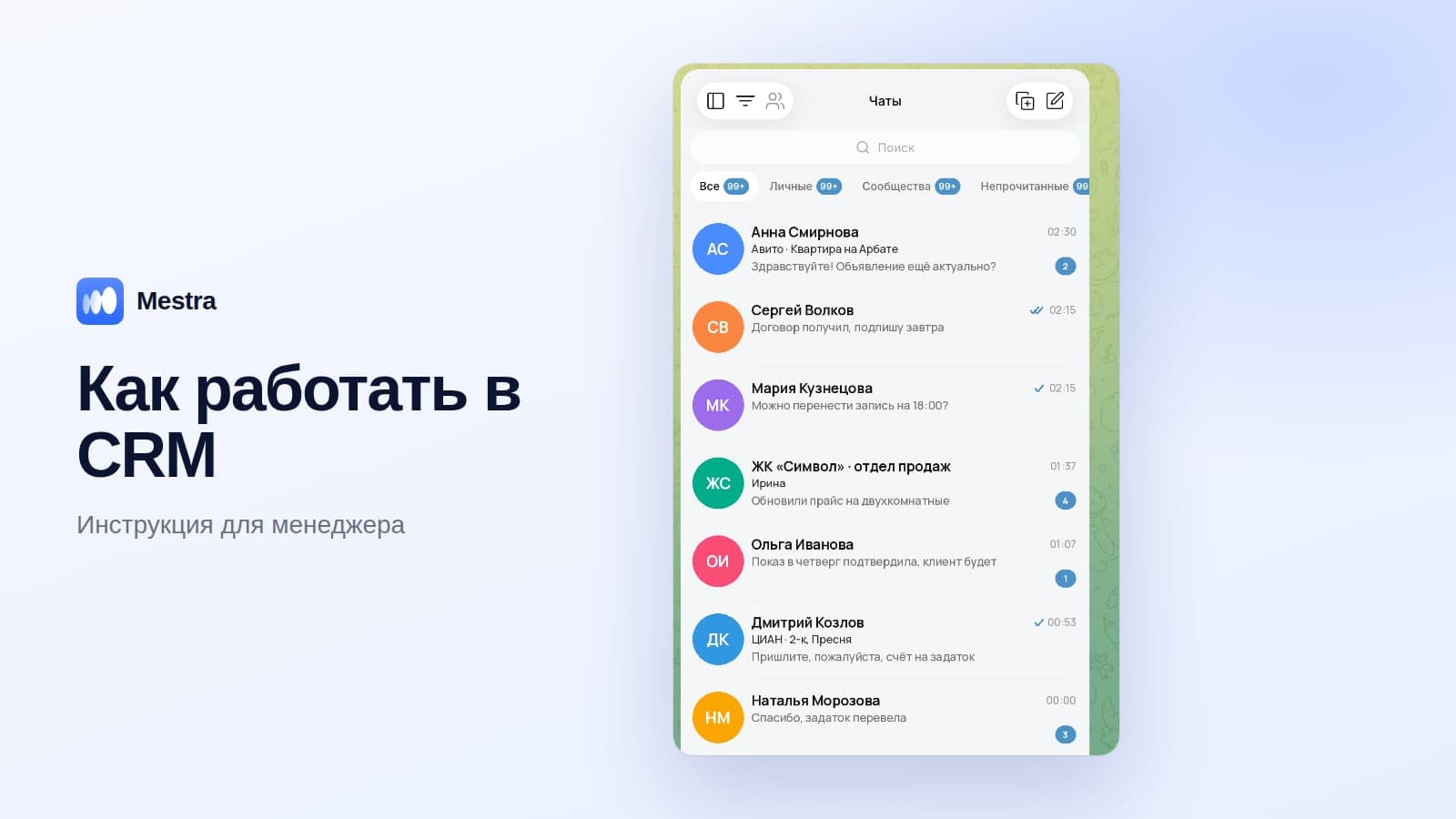
| Chats | A feed of messages from MAX, Telegram, VKontakte, Avito and other channels | Managers, front desk |
| Clients | A list and client cards | Everyone |
| Tasks | A list, kanban by stage, deadlines and responsible people | Everyone |
| Calendar | Bookings by employee or place | Front desk, specialists |
| Products | Goods and services with prices and cost price | Managers, team lead |
| Finance | Invoices, payments, expenses, debts, profit and loss report | Team lead, accountant |
| Analytics | Requests, response speed, conversion, revenue | Team lead |
| Resources | Offices, places, warehouses | Team lead, administrator |
What a client card looks like
On the left of the card are the name, phone, messengers, source and responsible person. In the centre is a feed of conversations and events: messages, calls, visits. Next to it are deals, tasks, invoices and debts. At the top or bottom is the next step with a date. More on the fields in our article the client card in a CRM.
Example: a manager's working day in a CRM
| Time | What the manager does in the CRM |
|---|---|
| 9:00 | Opens chats: overnight requests have already been handled by the AI assistant |
| 9:15 | Checks today's tasks: 6 calls and 2 meetings |
| 10:00 | Replies to a client from Avito, creates a deal and books a viewing in the calendar |
| 12:00 | Issues an invoice with a payment schedule directly from the client card |
| 15:00 | Moves a deal to the next stage on the kanban board |
| 18:00 | Checks that every client has a next step |
Meanwhile, the team lead sees in analytics how many requests came in, how fast they were answered and how many deals were closed.
How a CRM differs from a spreadsheet
A spreadsheet stores rows; a CRM stores the work with a client. In a spreadsheet you can't see conversations, no reminders arrive, and you can't issue an invoice or calculate commission. A detailed comparison is in our article CRM vs spreadsheet.
How it works in Mestra

The Chats section: all channels in one feed
Mestra is a CRM system: clients, messengers and marketplaces, tasks, finance, analytics and an AI operator in one window.
- "Client work" menu. Tasks, clients, products, calendar, chats, file manager.
- "Workspace" menu. Finance, analytics, members, resources, settings.
- Chats. MAX, Telegram, WhatsApp*, VKontakte, Instagram*, Avito, CIAN, Wildberries and Ozon — no integrators needed.
- AI assistant. Auto, Suggestions and Off modes; answers from your catalogue, PDFs and website, books meetings, creates a client card and a task.
- Tasks as projects. Stages, deadlines, responsible people, kanban and industry process templates.
- Finance. Invoices with VAT by line, debts, commissions and a profit and loss report.
- Resources. Offices, places and warehouses.
*WhatsApp and Instagram are owned by Meta, which is recognised as extremist and banned in Russia.
FAQ
What does a CRM system look like to a beginner?
Like a familiar app with a menu: open Chats and you see messages, Clients — your base, Tasks — today's to-dos.
Do you need to install a CRM on your computer?
Cloud CRMs work in the browser. Mestra opens in the browser on a computer or phone; a mobile app is in development.
Can you try a CRM for free?
Yes, most systems have a trial period. Mestra offers 15 days free.
How long does it take to get used to a CRM?
The basic sections — chats, clients, tasks — are learned in a day. Finance and analytics take about a week of use.
Bottom line
A CRM system is an app with sections for clients, conversations, tasks, the calendar, finance and analytics, with the client card at its centre. The best way to understand what a CRM looks like is to open one and spend a working day in it. Try Mestra free for 15 days.