Sole Trader Contributions for Yourself in 2026: Amount, the 1% and Deadlines
Taxes and accounting6 min read
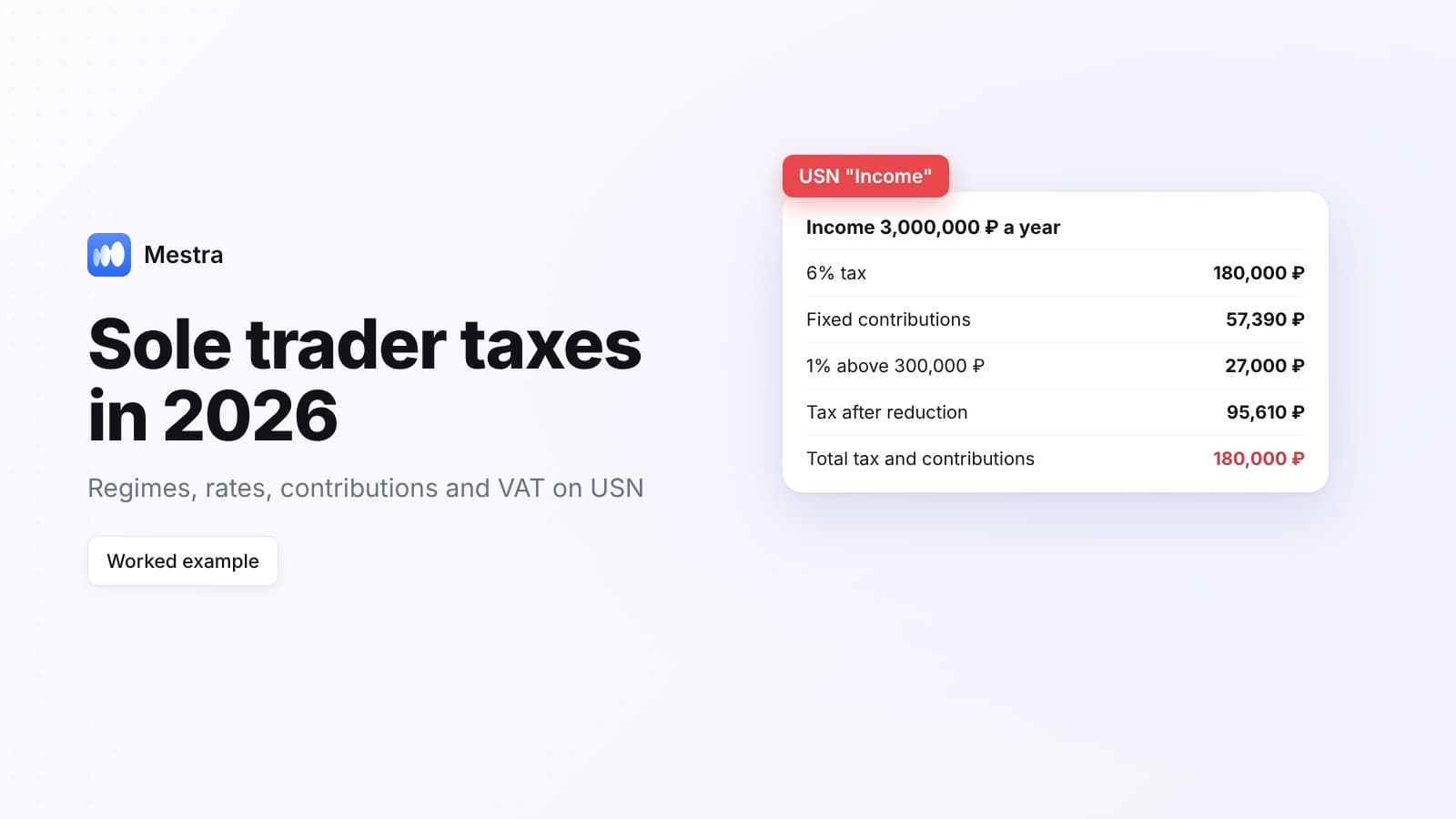
A Russian sole trader's own contributions in 2026: a fixed 57,390 ₽ by 28 December, 1% of income above 300,000 ₽ by 1 July 2027, a 321,818 ₽ cap and reducing USN tax.

A Russian sole trader pays for their own pension and medical insurance: for 2026 that's 57,390 ₽ plus 1% of revenue above 300,000 ₽. The money is sent as a single tax payment, and on USN and the patent system it reduces the tax, so the real burden is often lower than it seems.
What the payment consists of
| Part | How much | Last day |
|---|---|---|
| Fixed | 57,390 ₽ | 28.12.2026 |
| Variable | 1% of revenue above 300,000 ₽ | 01.07.2027 |
| Cap for both parts together | 321,818 ₽ | — |
This money covers pension and medical insurance. Sick pay for the sole trader is not included: to get it, you have to join voluntary insurance through the Social Fund separately.
What the 1% is calculated on
A lot depends on the regime — "income" is understood differently in each.
| Regime | Base for the 1% |
|---|---|
| USN "income" | All revenue per the income ledger |
| USN "income minus expenses" | Revenue minus expenses |
| Patent | The income the state deems possible for the activity |
| General regime | Income minus professional deductions |
| AUSN and self-employment | No obligation |
If you combine two regimes, the bases are added together.
One-minute calculation: Alexey the photographer
Alexey shoots weddings, works alone, on USN "income". In 2026 he received 2.5M ₽.
| What we calculate | Amount |
|---|---|
| Fixed part | 57,390 ₽ |
| 1% of (2,500,000 − 300,000) | 22,000 ₽ |
| Total insurance | 79,390 ₽ |
| 6% tax before deduction | 150,000 ₽ |
| Tax after deducting the insurance amounts | 70,610 ₽ |
The total for the year is 150,000 ₽: 79,390 ₽ goes to the Social Fund via the tax service and 70,610 ₽ to the budget. Exactly 6% of revenue, just as it would be with no insurance payments.
Registering or closing mid-year
If Alexey registered on 15 March, January and February don't count: for March he pays a share by number of days, and for April to December 1/12 of 57,390 ₽ each month. Closing works the same in reverse — the calculation stops at the date of removal from the register. After that you have to settle with the budget within just over two weeks: 15 calendar days are allowed.
When you can skip the fixed part
The exemption isn't for having no revenue but for specific life circumstances listed in Article 430 of the Tax Code. Among them:
- conscript military service;
- leave to care for a child until they turn one and a half;
- caring for a person with a group I disability, a disabled child or a relative over eighty;
- moving with a spouse who is in the military or a diplomat to a place where working in your profession is impossible;
- taking part in the special military operation.
The tax service won't know about it on its own: the exemption is claimed by application with documents confirming the period.
How insurance amounts reduce the tax
| Regime | No employees | With employees |
|---|---|---|
| USN "income" | Tax can fall to zero | Cut by no more than 50% of the tax |
| Patent | Deducted in full | No more than half |
| USN "income minus expenses" | Counted as expenses | Counted as expenses |
You don't have to pay before calculating the advance: since 2023, the reduction is allowed on the accrued amount, provided it's paid on time.
How to pay most conveniently
The payment goes to the unified tax account (ENS) — the sole trader's common wallet at the tax service. You may pay everything at once in December, but it's more convenient to split it into four quarterly parts: then each USN advance is immediately reduced by the share already paid, and you don't face a large top-up in April.
Typical mistakes
- Remembering the 1% only in July and getting late-payment interest.
- Calculating the percentage on all revenue, forgetting to subtract 300,000 ₽.
- Not reducing the tax by the amounts paid and overpaying.
- Missing the exemption application for a qualifying period.
How it works in Mestra
In Mestra finance it's convenient to keep mandatory payments as separate expense items and see how much has been paid and how much is left before the deadline. The profit and loss report shows how much profit remains after all taxes. More in the profit and loss report.

- Expense items for taxes and insurance.
- Monthly profit and loss report.
- Tasks with reminders — for example, about the payment due by 28 December.
FAQ
What is the total insurance payment for 2026?
The fixed part is 57,390 ₽. With revenue above 300,000 ₽, 1% of the excess is added, but no more than 321,818 ₽ in total.
What if the business has effectively stopped?
You still have to pay. The obligation is tied to the status, not to revenue. Only the periods listed in Article 430 of the Tax Code are exempt.
Can I pay every month?
Yes. The law only sets the deadline; you can pay whenever you like and in any amounts.
Do self-employed people pay?
No. A professional income tax payer may make voluntary pension contributions, and the medical part is already included in their tax.
Bottom line
For 2026, a sole trader pays 57,390 ₽ towards their own insurance by 28 December and 1% of revenue above 300,000 ₽ by 1 July 2027. Pay quarterly to reduce your advances straight away, and don't forget the exempt periods. All other payments are covered in sole trader taxes in 2026.
Mestra — 15 days free, no bank card required: set up tax and contribution items and see your profit after mandatory payments.
Sources: Tax Code of the Russian Federation (Arts. 346.21, 346.51, 430, 432), Federal Tax Service of Russia. This article is not tax advice.