How to learn about an unhappy client before they write a bad review
AI4 min read
AI reads client chats and notices dissatisfaction, and the owner gets an alert. How it works in Mestra and what to do to win the client back before it's too late.

Mestra's AI analyzes client chats and recognizes dissatisfaction: an irritated tone, repeated complaints, threats to leave. When such a signal appears, the owner gets a notification and can step into the conversation without waiting for the client to go to a competitor.
The one-minute math
- A client brings 8,000 ₽ a month and stays two years on average — 192,000 ₽.
- If 2 clients a month leave over an unanswered complaint, the company loses almost 400,000 ₽ of future revenue.
- One call from the owner at the right moment often costs less than the discount needed to acquire a new client.
What dissatisfaction looks like in a chat
- A repeated question. «I already asked yesterday».
- Comparison with a competitor. «Elsewhere they'd do it in a day».
- A dry tone after a warm one. The client stopped thanking and joking.
- Waiting. «How much longer?», «When will I get an answer?».
- A direct threat. «I'll look for another company».
A manager in a stream of messages may miss these signals. And the owner doesn't see the chat at all until a complaint arrives.
How it works in Mestra

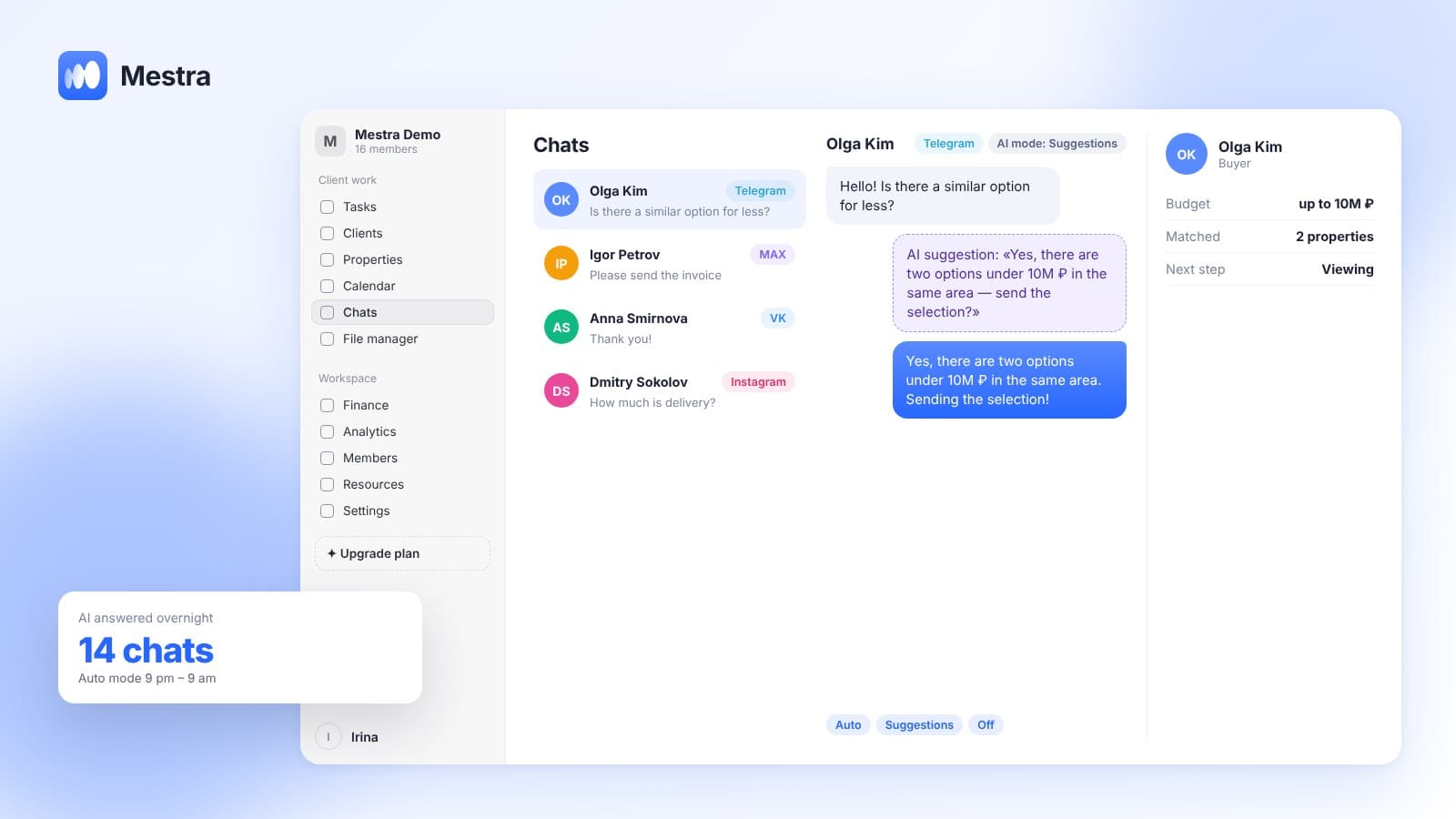
- All chats in one window. MAX, Telegram, VK, WhatsApp*, Instagram* and portal messages.
- AI reads the context. It recognizes dissatisfaction and flags the conversation.
- Alert to the owner. The owner or manager gets a notification about an unhappy client.
- Stepping into the chat. The owner opens the chat, sees the history, deals and invoices, and replies personally or instructs a manager.
- Reply-quality review. AI assesses how well managers answer and suggests the next step.
What else AI notices: stalled deals, overdue tasks, churn risk. More in «Churn prediction» and «Service quality assessment».
What to do when an alert arrives
| Step | Action |
|---|---|
| 1 | Read the whole chat, not just the last message |
| 2 | Check what was promised and done: tasks, deadlines, invoices |
| 3 | Reply quickly and to the point, no templates |
| 4 | Offer a concrete solution and timeline |
| 5 | Assign an owner and create a task |
| 6 | Follow up with the client after it's solved |
Why this isn't surveillance of managers
The goal isn't to punish an employee but to keep the client. Often the cause isn't the manager but the process: slow delivery, unclear terms, an invoice error. AI signals help find such bottlenecks and fix them for all clients.
Handling negativity: three mistakes
The first mistake is replying with a template. An unhappy client immediately sees they weren't heard.
The second is arguing. Even if the client is wrong, arguing only escalates the conflict and almost always ends with them leaving.
The third is silence. Handling unhappy clients requires a quick reaction, and every extra minute raises the odds of a bad review.
FAQ
Can a CRM recognize an unhappy client?
Yes. Mestra's AI analyzes chats and alerts the owner if a client is unhappy.
Who gets the notification?
The company owner or manager. They can open the chat and step in.
Does it work in every messenger?
Yes. AI analyzes chats from all connected channels in «Chats».
Which plan includes it?
AI features are on the Standard and Pro plans.
Does AI reply to the unhappy client itself?
It depends on the chat mode: Auto, Suggestions or Off. In difficult situations AI hands the chat to a human.
Summary
An unhappy client noticed in time often becomes the most loyal. Mestra (Местра) reads conversations, notices dissatisfaction and alerts the owner while there's still time to fix things. Try it free for 15 days.
* Meta Platforms Inc. (owner of WhatsApp and Instagram) is recognized as an extremist organization; its activities are banned in Russia.